zehn, a fuzzy finder for every prompt I've sent an AI agent
I use claude one day, codex the next, then pi or opencode after that. They all keep a history of what I’ve typed. The problem is that a week later, when I want to get back to something I asked for, I can’t remember which agent I said it to. Or which project I was in. So I’d go digging through four different history files by hand, in four different formats, and usually give up.
So I built zehn. It reads all four histories at once and lets me fuzzy-search every prompt I’ve ever sent. I type a few letters, find the one I want, hit enter, and it puts me back in that exact session, in the agent that owns it.
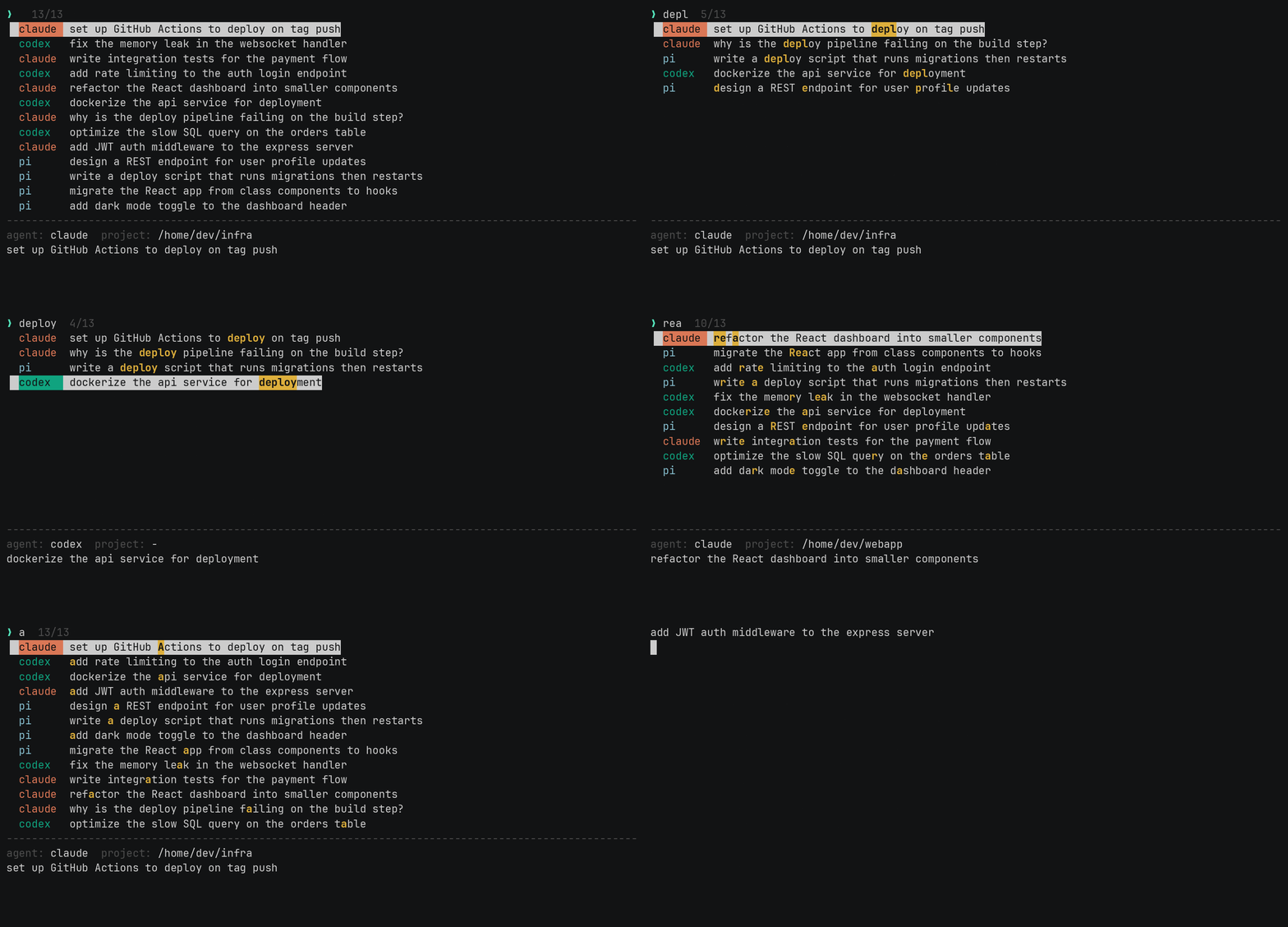
The name is ذهن, “the mind.” It’s one small Zig binary.
the problem is that nobody agrees on a format
This sounds simple. Read some history files, show a list. The annoying part is that every agent stores its history differently, and I had to learn all four.
claude keeps a history.jsonl in your home directory. One JSON object per line, with the prompt under display. codex has its own history.jsonl, but the prompt is under text and there’s no project attached. pi writes a folder per session, each one a .jsonl file where the first line is session metadata and later lines are messages. And opencode doesn’t use files at all. It’s a SQLite database.
So zehn has four little readers, one per agent, and they all produce the same thing: a record with the prompt text, the project, the session id, and a timestamp if there is one. Once everything is a record, the rest of the tool doesn’t care where it came from.
A couple of these threw small curveballs. A message’s content is sometimes a plain string and sometimes an array of typed blocks, so I had to handle both. opencode meant shelling out to the sqlite3 command, which I didn’t love, but writing a SQLite reader from scratch in Zig was not the hill I wanted to die on. If sqlite3 isn’t installed, zehn just skips opencode and tells you why.
Then I dedupe. If you’ve typed the same prompt five times, you want one entry, the most recent one.
the matching
I wanted it to feel like fzf, because that’s the muscle memory I already have. Type letters, get the best matches ranked at the top, with the matched characters highlighted.
So it’s a real fuzzy matcher, not a substring search. It scores matches the way fzf does: bonuses for matching at the start of a word, for matching consecutive characters, for camelCase boundaries. The scoring runs as a small dynamic-programming alignment, and there’s a greedy fallback for pathologically long lines so it stays fast no matter what you throw at it. I wrote a brute-force scorer next to it in the tests, purely to check the fast version agrees with the obvious-but-slow version on thousands of random inputs.
That test caught more bugs than I’d like to admit.
the part that actually feels like magic
Finding the prompt is half of it. The other half is getting back into the session, and that’s the bit that makes me actually use the tool.
Each agent has its own way to resume. claude wants claude --resume <id>. codex wants codex resume <id>. pi and opencode each have their own. So when you pick a prompt, zehn knows which agent it belongs to, builds the right command, and spawns it for you. It also cds into the project directory the session ran in first, because that’s usually what the agent expects. If that directory is gone, it falls back to where you are and tells you.
You search, you hit enter, you’re typing to the agent again. No copy-pasting session ids out of a log file.
why Zig
Honestly, partly because I like it. But there are real reasons for a tool like this.
It’s one static binary with no runtime. The installer builds it and drops it in ~/.local/bin, and that’s the whole story. Nothing to install alongside it, no language runtime to keep current.
The other reason is the allocator. In Zig you pass the allocator in, so nothing allocates behind your back. I gave the whole program a single arena: allocate freely while reading all those histories, never free anything, and let it all drop when the process exits. For a tool that starts, does one job, and quits, that’s exactly the right shape. It reads and parses around 1,300 sessions in about 0.2 seconds, and most of the time I spent on speed was just not doing work I didn’t need to do.
Zig is pre-1.0 and the standard library moves under you. The I/O API changed recently and broke things. For a small tool I want to understand completely, I’ll take that trade.
try it
One line, macOS or Linux:
bash <(curl -L https://al3rez.com/zehn)The code is at github.com/al3rez/zehn.